 Viktoriia Shakhnir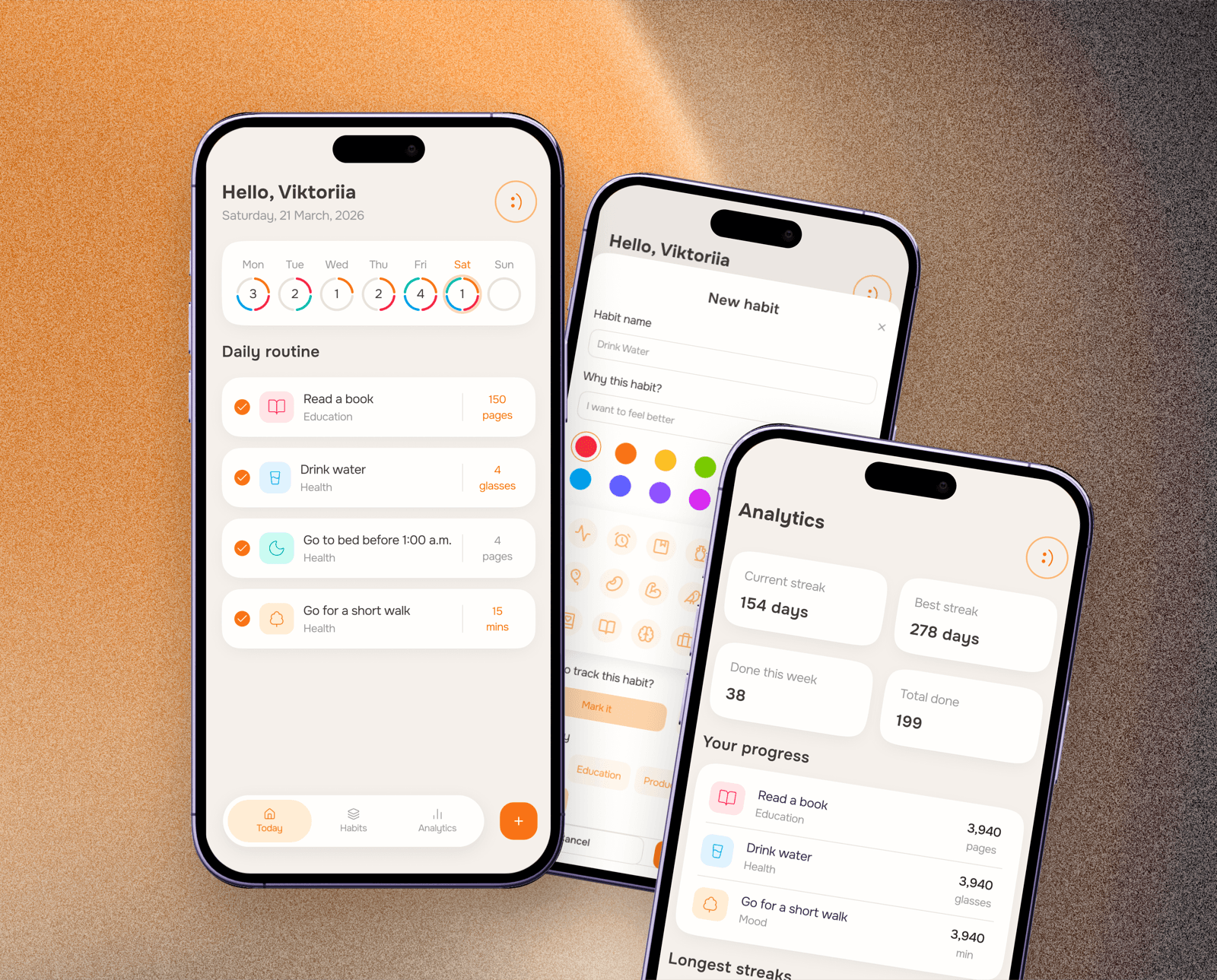
Overview
Stride is a habit-tracking web app built around daily check-ins, progress analytics, and flexible tracking. It supports two habit types: checkbox (done / not done) and quantity-based (pages, minutes, glasses).
The goal was to build a tracker that helps people form routines without guilt or pressure. Simple and encouraging - for anyone who wants to see real progress, not just tick boxes.
- 1
Product definition
Defined the app concept, target experience, and tracking logic for both habit types
- 2
UX structure
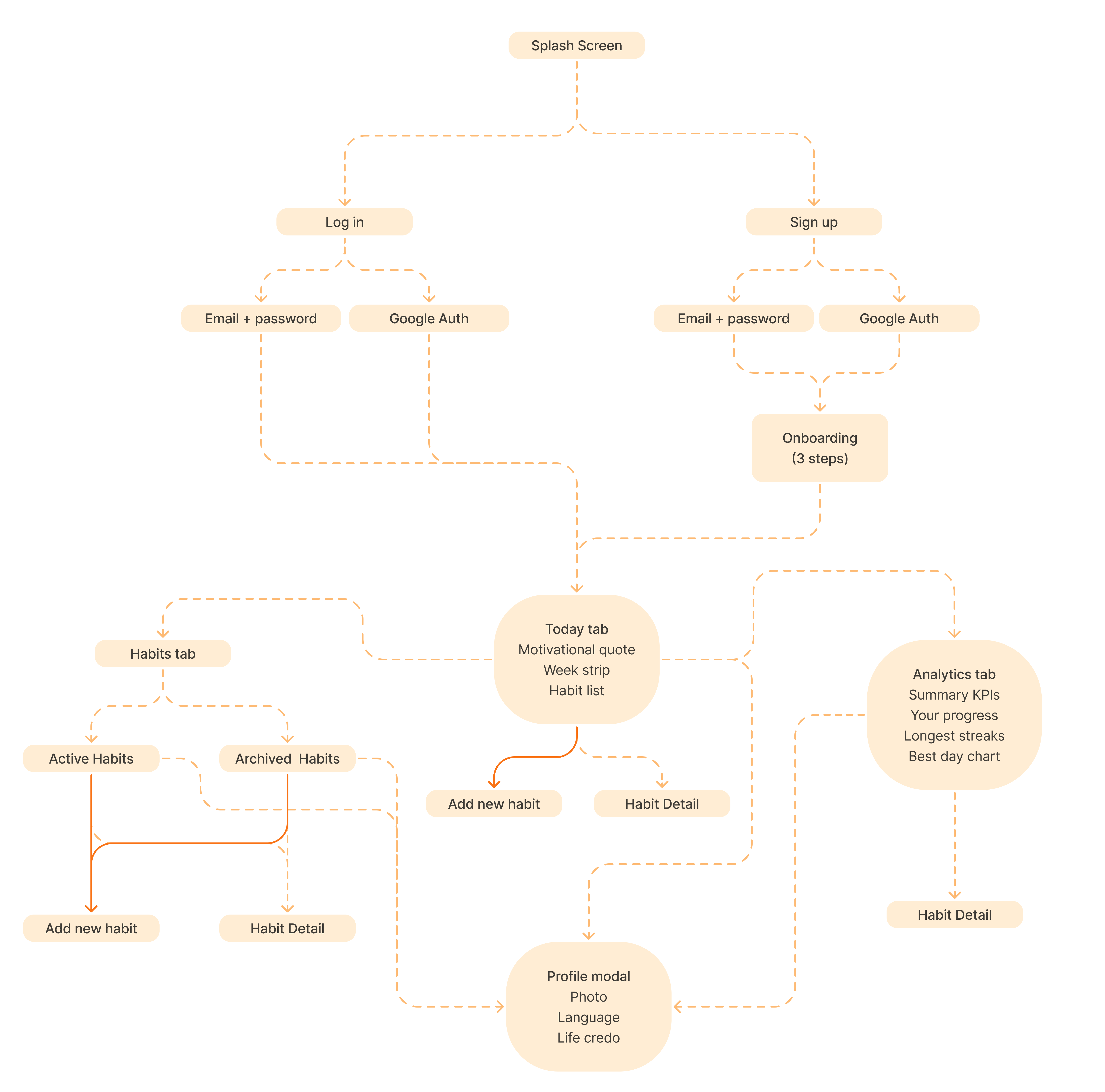
Mapped the app structure, main sections, navigation logic, and key user flows
- 3
AI-assisted prototype
Used Figma Make to turn the structure into an interactive prototype and test the main screens
- 4
Design system
Created a calm visual language with reusable components, forms, modals, and progress states
- 5
Functional web experience
Built a live app in Figma Make with registration, saved data, and language switching
UX Structure
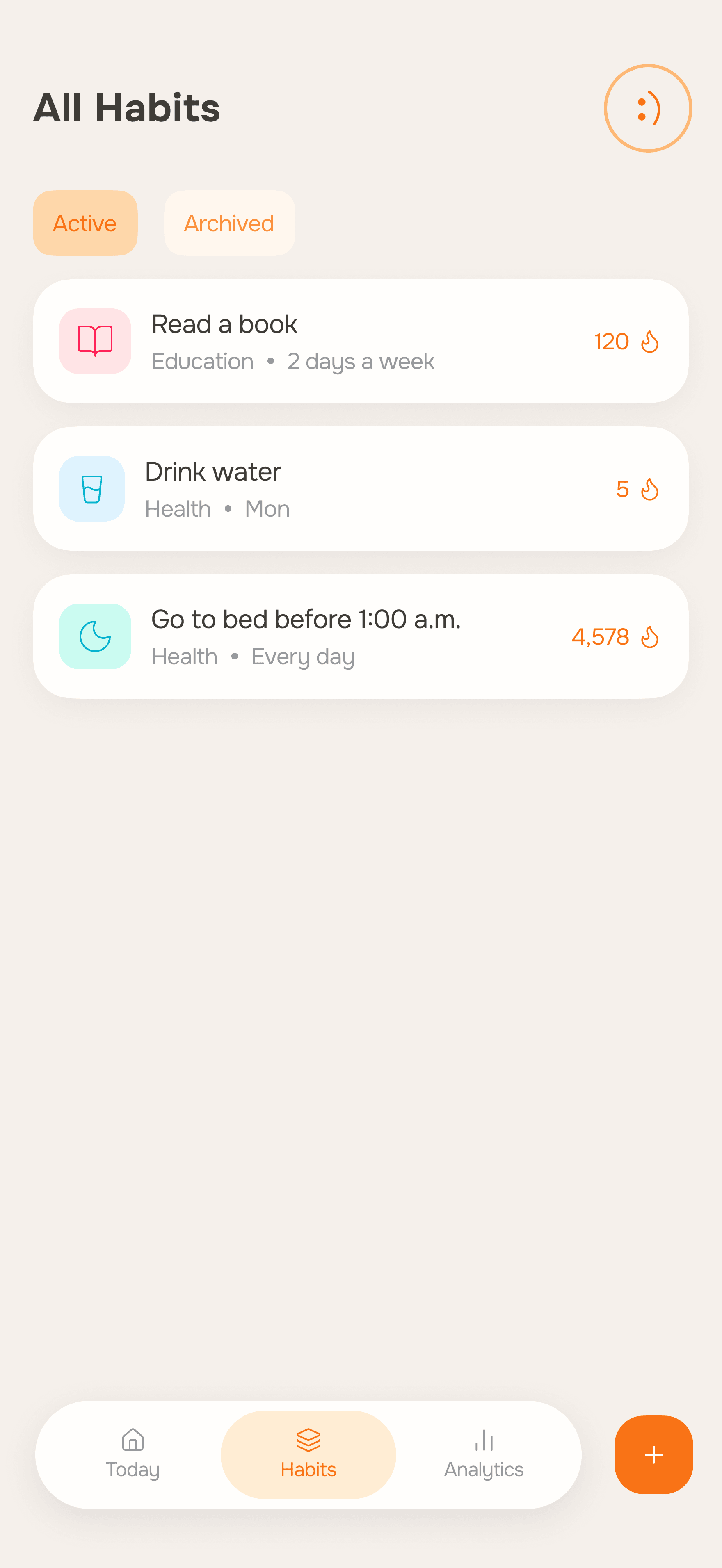
The app structure is built around a simple habit loop: create, check in, review progress.
Challenges
Two habit types, one flow
The app needed to handle both simple checkbox habits and quantity-based ones equally well - without splitting into two separate experiences or causing confusion.
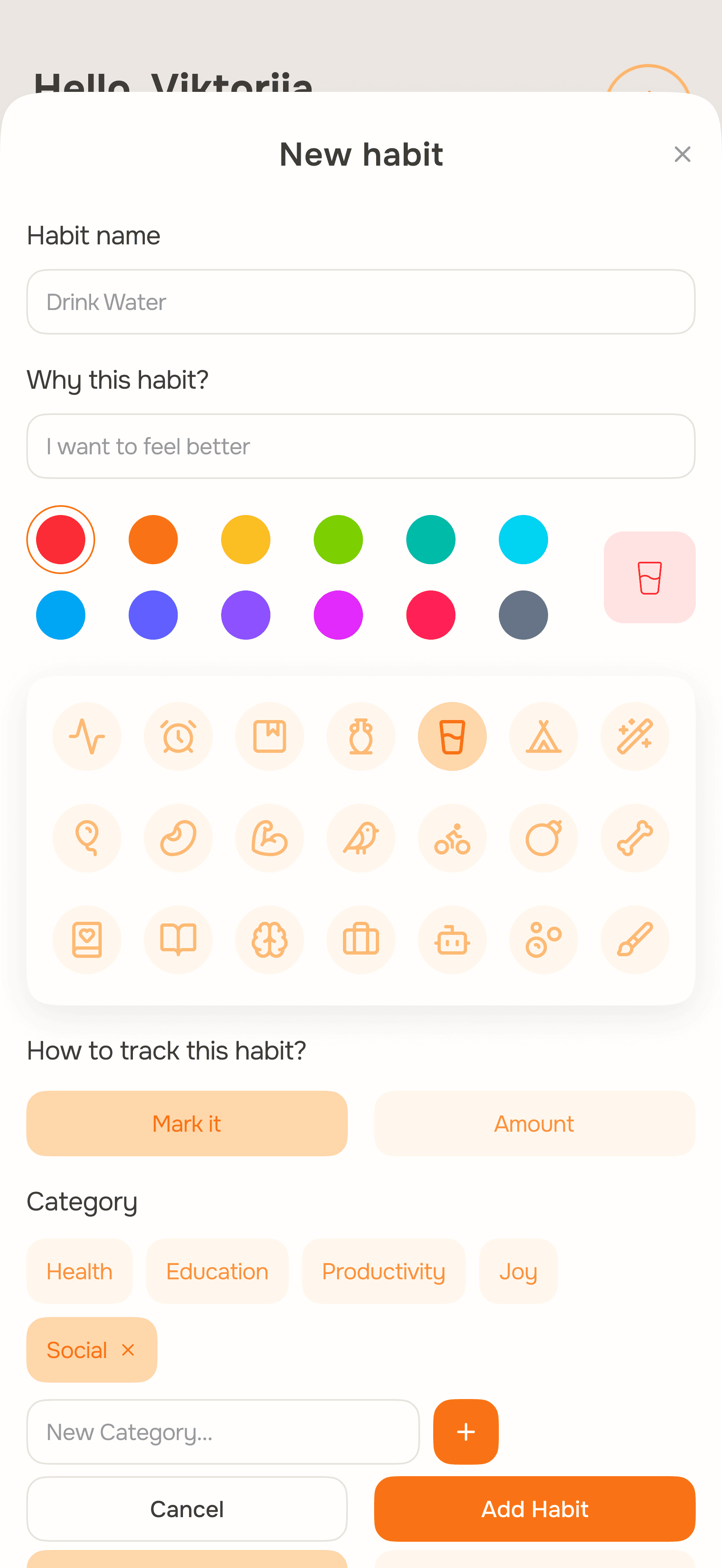
Solution When creating a habit, the user picks a tracking type ("Mark it" or "Amount") and the form adapts. Same screen, same logic, just the right fields for each case.
Check-ins in seconds
Opening the app, understanding your day, and logging a habit had to take just a few seconds. No extra steps, no navigation required.
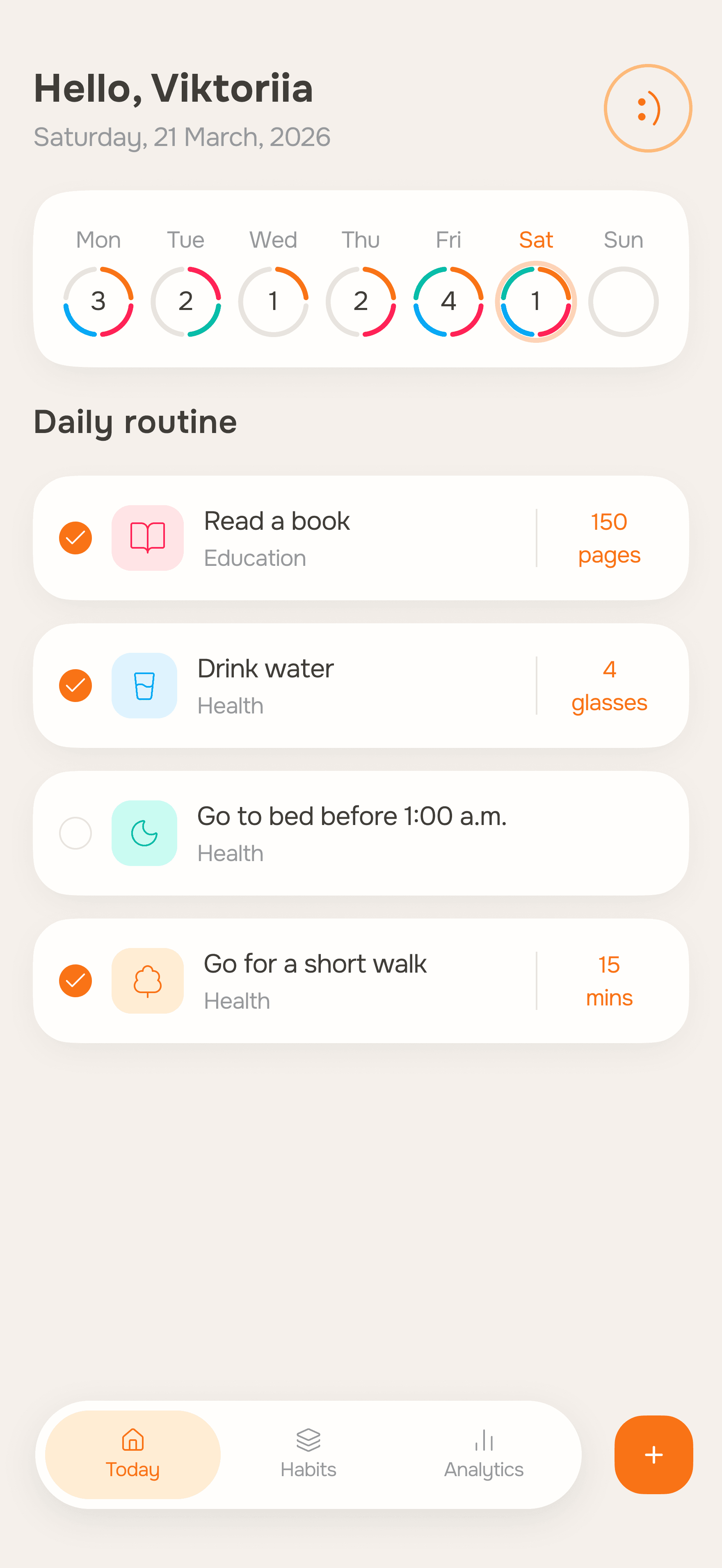
Solution The Today screen is the first thing users see. Week strip at the top, habit list below. One tap and it's done.
Analytics without overload
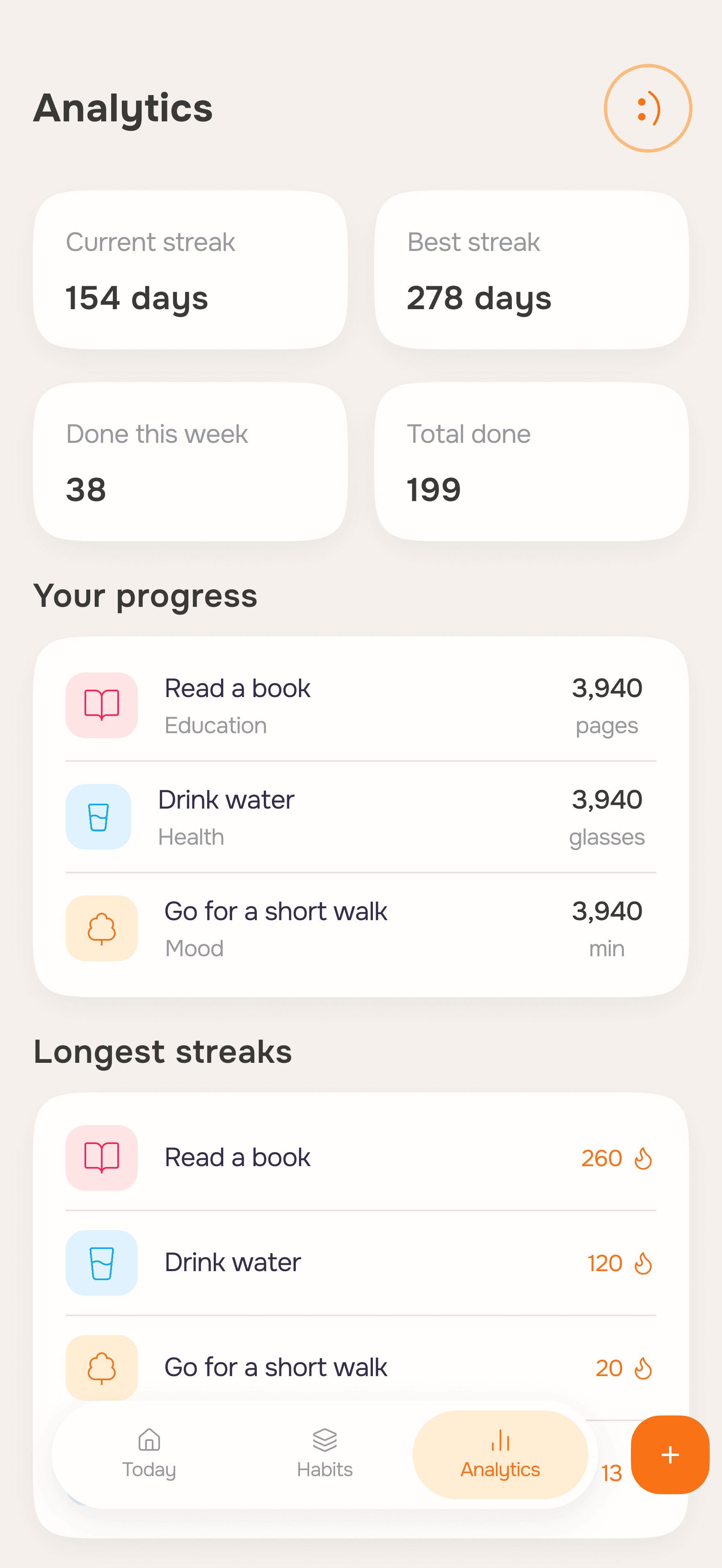
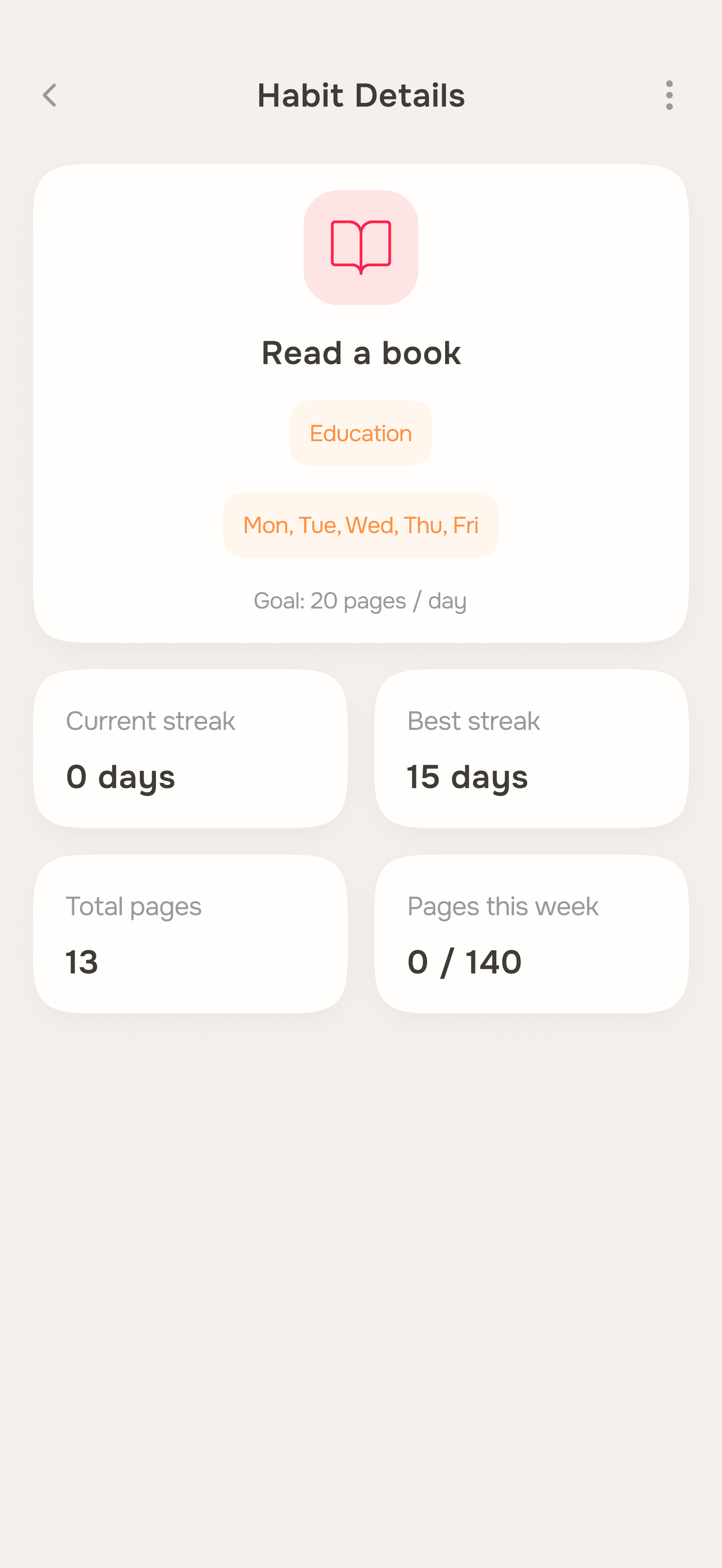
The app needed to surface streaks, totals, weekly patterns, and per-habit progress - without turning the screen into a data dashboard.
Solution Analytics is split into three clear blocks: summary KPIs at the top, habit progress in the middle, longest streaks at the bottom. Each section reads on its own.
Flexible habit creation
The creation form had to be quick, while still covering enough options: type, goal, color, icon, category, schedule. Flexibility without complexity.
Solution The form is a single scroll with no steps or wizards. All options are visible at once but stay manageable, thanks to compact pickers and clear visual hierarchy.
AI in Process
AI was a real part of the process, not just a shortcut.
Claude helped define the product logic, core user flows, and feature structure. Also used for refining the IA, writing UX copy, and thinking through edge cases.
Figma Make was used to test the app structure, screen logic, and interaction flows before moving into UI design. Then used again to build the final working web experience - with registration, saved habit data, language switching, and dynamic progress states.
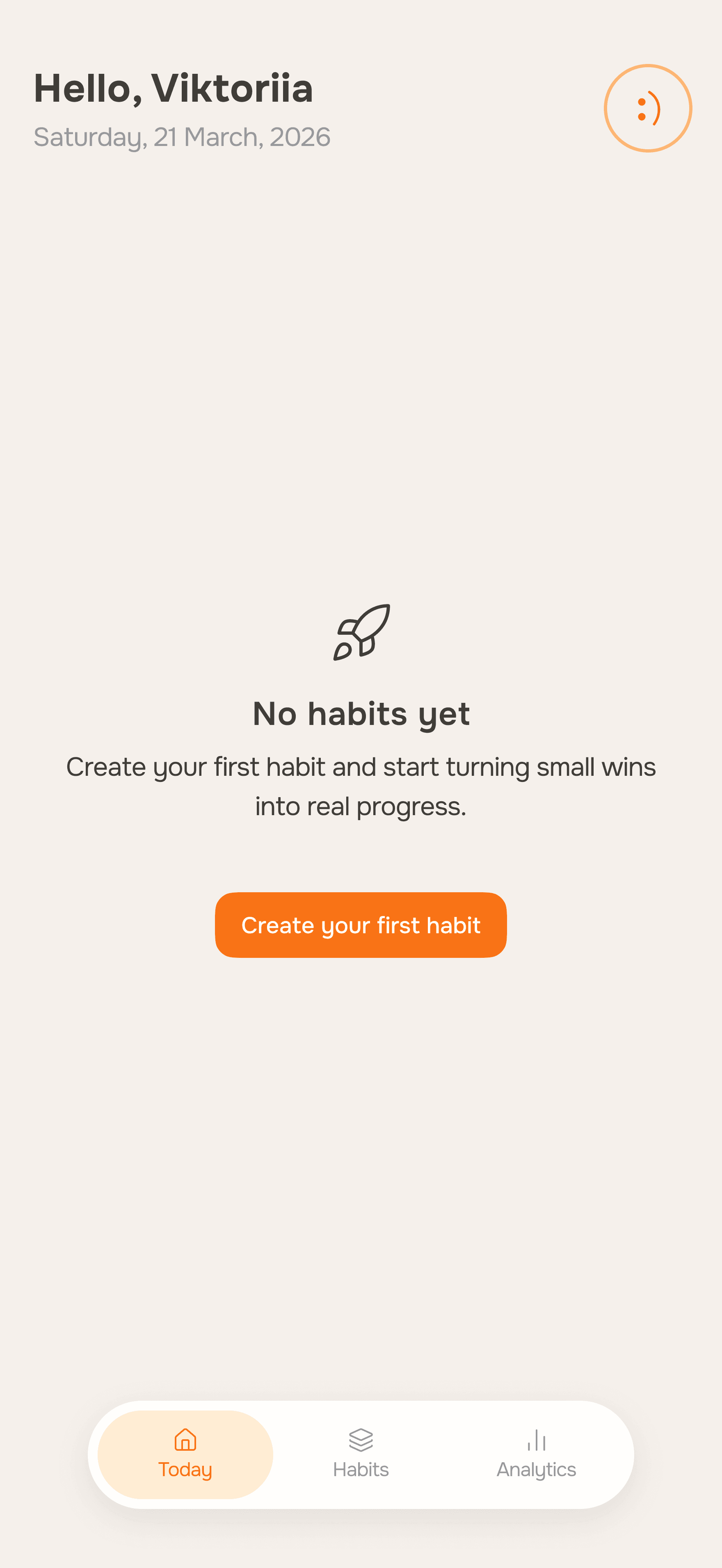
Screens
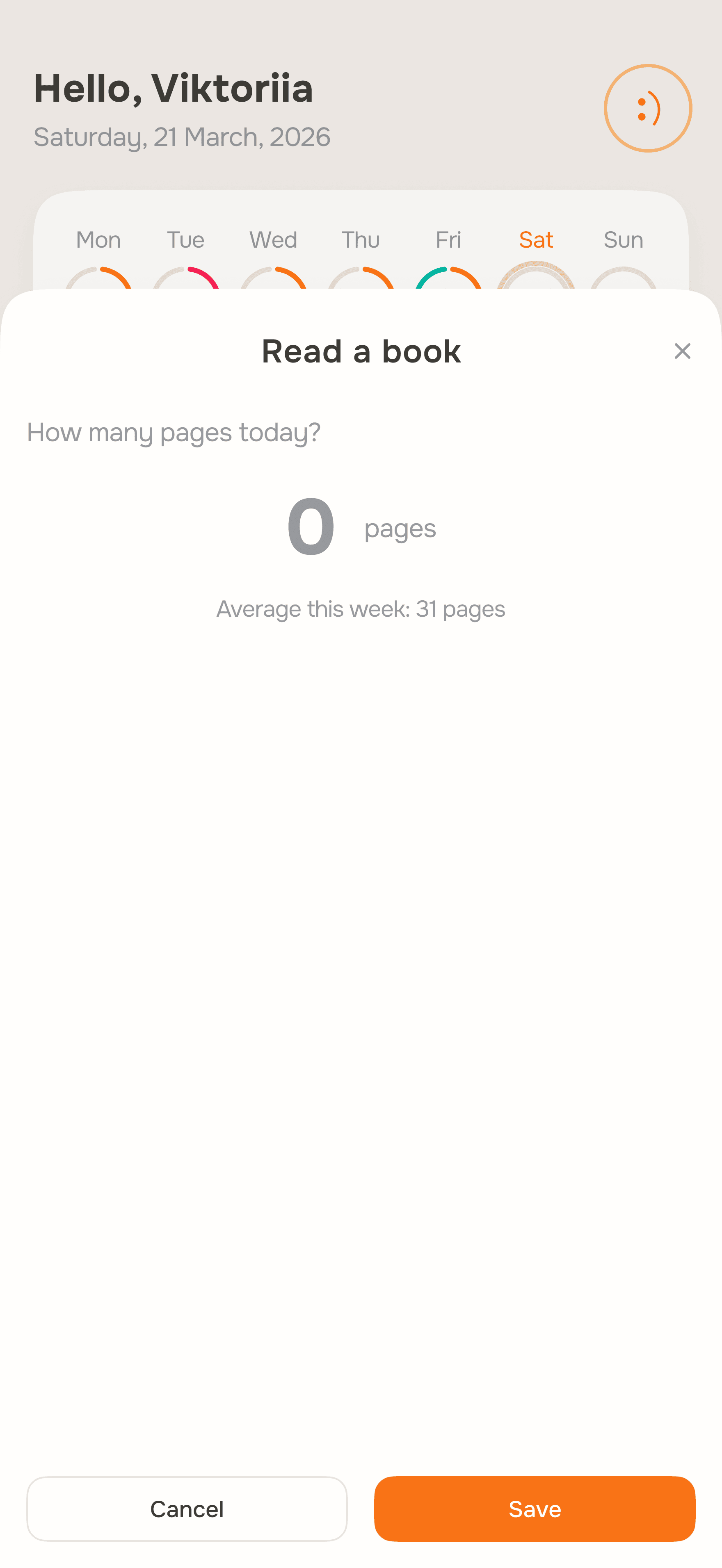
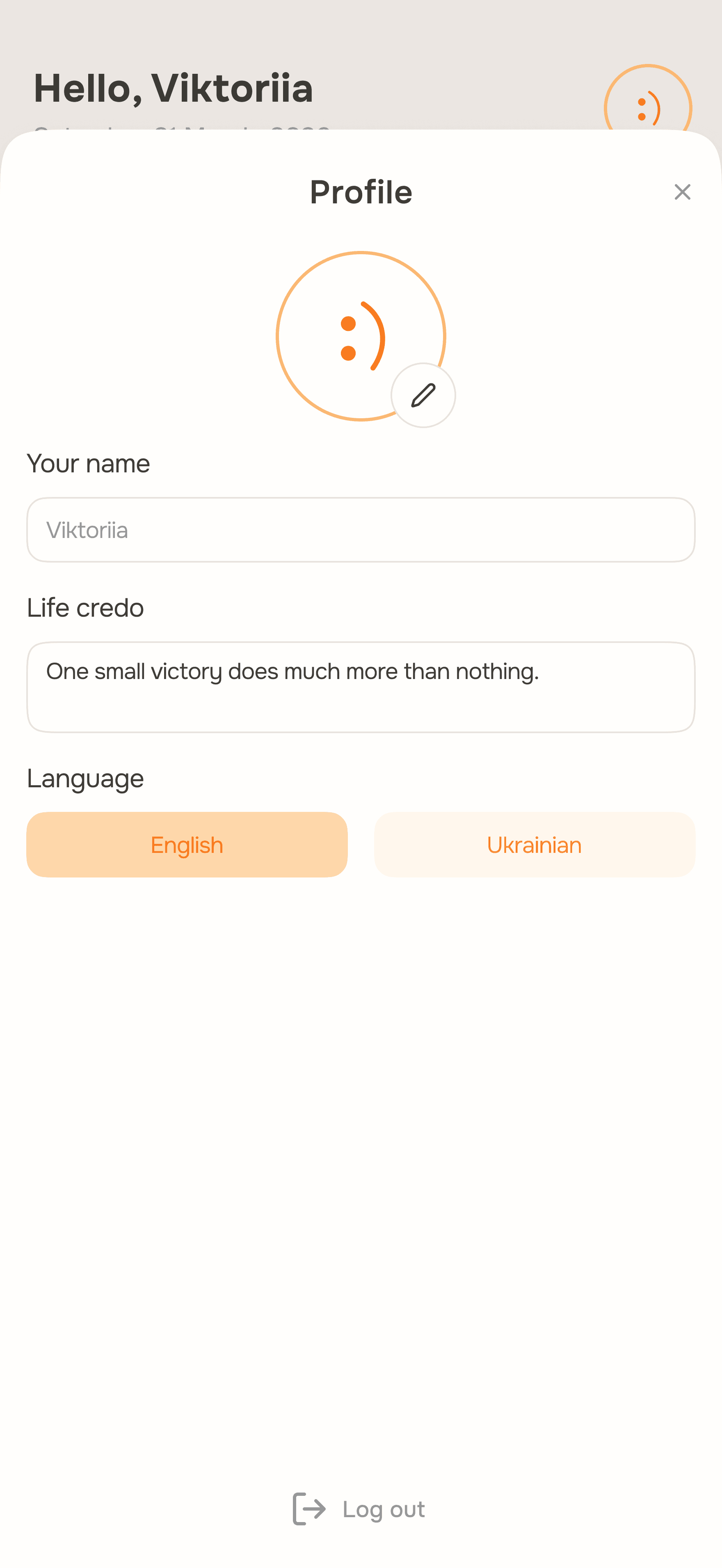
Outcome
Stride is a live app I actually use myself. Available at the link below, with real registration and saved data.
This project showed me how AI tools can become genuine partners in the design process. Not a replacement for thinking - a way to move faster through it.